I don't think I am always happy about being on the bleeding edge. Since we adopted asp.net before it was *really* ready for prime time we ended up developing custom methods for many things, the data layer being one of them.
So, how we have a custom way of getting data, that is NOT a datasource. How can we do custom paging?
Finally, in Asp.Net 4.5 we have a way. Check it out!
Thursday, October 15, 2015

Thursday, May 21, 2015
Tuesday, April 21, 2015
Getting a breakpoint in Global.asax to be hit
When using IIS for debugging, not Visual Studio Development Server.
In this case, debugging application start is tricky, because it is only called once when the application pool is started or recycled. When Visual Studio attaches to the process, Application_Start has already been running.
The trick is to make the application pool recycle without killing the process you are attached to.
Do the following:
In this case, debugging application start is tricky, because it is only called once when the application pool is started or recycled. When Visual Studio attaches to the process, Application_Start has already been running.
The trick is to make the application pool recycle without killing the process you are attached to.
Do the following:
- In Visual Studio (must be run as Administrator) set your breakpoint in global.asax.cs and start debugging as usual (F5). The page opens in your web browser, but the breakpoint isn't hit.
- Now the trick: In Visual Studio, go to web.config, change it (e.g. enter a blank line somewhere) and save it. In contrast to recycling the application pool in IIS, this lets the application pool recycle (and thus running through Application_Start in global.asax.cs the next time the web site is called) without killing the process you are attached to.
- In your web browser, reload the page. The breakpoint should be hit now!
Monday, March 16, 2015
Stored Procedure in batch running slow? Stored Procedure fast in SSMS?
ArithAbort is your man!
If ARITHABORT is not set to on, we sometimes get performance problems with connections from the website (because UDL connections (really OLEDB) have ARITHABORT set to off). When this setting is off, I suspect that the optimizer decides to do serial scans in the selects of the nested functions instead of indexed (or more optimal) reads.
We are OK with ARITHABORT set to on because the math involved should NOT cause an arithmetic exception. And, even if it did, we want to fix it.
BTW the default for ARITHABORT in SSMS is on. That is why these queries are always faster when trying execute them in a query window.
To see more, http://sqladvice.com/blogs/gstark/archive/2008/02/12/Arithabort-Option-Effects-Stored-Procedure-Performance.aspx
If ARITHABORT is not set to on, we sometimes get performance problems with connections from the website (because UDL connections (really OLEDB) have ARITHABORT set to off). When this setting is off, I suspect that the optimizer decides to do serial scans in the selects of the nested functions instead of indexed (or more optimal) reads.
We are OK with ARITHABORT set to on because the math involved should NOT cause an arithmetic exception. And, even if it did, we want to fix it.
BTW the default for ARITHABORT in SSMS is on. That is why these queries are always faster when trying execute them in a query window.
To see more, http://sqladvice.com/blogs/gstark/archive/2008/02/12/Arithabort-Option-Effects-Stored-Procedure-Performance.aspx
Monday, March 2, 2015
Win8 Finding the user (or windows feature) IIS AppPool
When adding the user type in the whole name
IIS AppPool\DefaultAppPool
IIS AppPool\DefaultAppPool
Thursday, March 27, 2014
Fiddler and Asp.Net
Ran across this today, just a handy item to know. I use Fiddler a lot of debugging web programming. Today I needed to use to to debug some Web.Request conversation. For the most part I write everything out to log files and it contains what I need. But, I was dealing with a tech support organization who really wanted Fiddler output.
http://weblog.west-wind.com/posts/2009/Jan/14/Monitoring-HTTP-Output-with-Fiddler-in-NET-HTTP-Clients-and-WCF-Proxies
So, even though I have libraries to man-handle the Web.Requests the following entry in the web.config file allowed Fiddler to see the conversation. No code change!
http://weblog.west-wind.com/posts/2009/Jan/14/Monitoring-HTTP-Output-with-Fiddler-in-NET-HTTP-Clients-and-WCF-Proxies
So, even though I have libraries to man-handle the Web.Requests the following entry in the web.config file allowed Fiddler to see the conversation. No code change!
  <system.net>
    <defaultProxy>
      <proxy
              usesystemdefault="False"
              bypassonlocal="True"
              proxyaddress="http://127.0.0.1:8888"
              />
    </defaultProxy>
  </system.net>
If you forget and don't have Fiddler running, you can get the following error
System.Net.Sockets.SocketException: No connection could be made because the target machine actively refused it 127.0.0.1:8888
Thursday, March 13, 2014
Handy App Pool info - 32bit vs 64 bit
We process a lot of huge document so to be able to run in 64 bit mode and use more than 4GB of memory is kind of important.
Trying to figure out which app pools are actually running in 32-bit mode
appcmd list wp
Then go into Task Manager, show processes for all users. If the PID doesn't show up then View | Select Columns | check PID
The processes that have a *32 next to the name are the ones running in 32 bit mode.
So, w3wp.exe *32 is running in 32 bit mode
How to solve that...
Go into the IIS Manager, find the Application Pools, right click | advanced settings | Enable 32-bit application = False.
You must compile your application in 64 bit mode or AnyCPU. Here is a really good explanation for
moving-asp-net-web-application-from-32-bit-to-64-bit
Trying to figure out which app pools are actually running in 32-bit mode
appcmd list wp
Then go into Task Manager, show processes for all users. If the PID doesn't show up then View | Select Columns | check PID
The processes that have a *32 next to the name are the ones running in 32 bit mode.
So, w3wp.exe *32 is running in 32 bit mode
How to solve that...
Go into the IIS Manager, find the Application Pools, right click | advanced settings | Enable 32-bit application = False.
You must compile your application in 64 bit mode or AnyCPU. Here is a really good explanation for
moving-asp-net-web-application-from-32-bit-to-64-bit
Wednesday, February 26, 2014
MSChart cheat sheet
Microsoft bought Dundas charts. Sometimes it helps to google that tool as well. Better documented.
Dundas Documentation
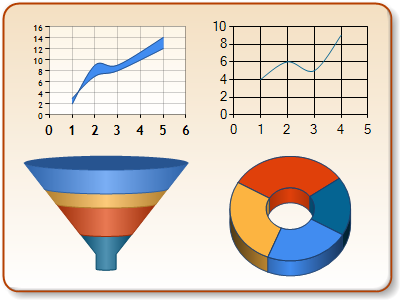
Line graphs are not fond of nulls, seems to mess up results
Formatting
chart.Series[name].Label = "#VALY{C0}"; //will give you the value of Y formatting with currency
chart.ChartAreas[0].AxisY.LabelStyle.Format = "{C0}"; //format the labels of the Y axis with currency
Dundas Documentation
Line graphs are not fond of nulls, seems to mess up results
Formatting
chart.Series[name].Label = "#VALY{C0}"; //will give you the value of Y formatting with currency
chart.ChartAreas[0].AxisY.LabelStyle.Format = "{C0}"; //format the labels of the Y axis with currency
Tuesday, February 11, 2014
abcPDF
Here is an interesting problem when using abcPDF Gecko engine.
Error creating initial PDF: WebSupergoo.ABCpdf9.Internal.PDFException: Failed to add HTML: Page load timed out.; Gecko engine hit an error it was unable to recover from. Possible causes: XULRunner folder is corrupt or is from another version of ABCpdf. ---> WebSupergoo.ABCpdf9.Internal.PDFException: Gecko engine hit an error it was unable to recover from. Possible causes: XULRunner folder is corrupt or is from another version of ABCpdf. at WebSupergoo.ABCpdf9.Internal.Gecko.GeckoWorker.AddImageUrl(String url, Double pageWidthMm, Double pageHeightMm, AddImageUrlOptions options, UInt32& numCommands, Byte[]& data) --- End of inner exception stack trace ---
This took a while to track down. It is a combo of two things. One, if the page that you are rendering has something like this one it:
$(document).ready(function () { window.print(); });
And, your abcPDF Gecko MediaType is Screen. Regardless of your UseScript setting.
Now the document also refer to an error in another condition as well. Wouldn't it be awesome if they would give you the exception that will be thrown?
"For the Gecko engine, the Screen media must be used with UseScript true. An invalid combination (i.e. Screen with UseScript false) yields an exception when you call AddImageUrl or AddImageHtml."
I must also say, I have been a huge fan of WebSupergoo for a long time. I have programmed a lot of heavy duty PDF magic with their product. Also, I have been a fan of their support. But, I have to say their support is getting slow to respond and unhelpful.
Error creating initial PDF: WebSupergoo.ABCpdf9.Internal.PDFException: Failed to add HTML: Page load timed out.; Gecko engine hit an error it was unable to recover from. Possible causes: XULRunner folder is corrupt or is from another version of ABCpdf. ---> WebSupergoo.ABCpdf9.Internal.PDFException: Gecko engine hit an error it was unable to recover from. Possible causes: XULRunner folder is corrupt or is from another version of ABCpdf. at WebSupergoo.ABCpdf9.Internal.Gecko.GeckoWorker.AddImageUrl(String url, Double pageWidthMm, Double pageHeightMm, AddImageUrlOptions options, UInt32& numCommands, Byte[]& data) --- End of inner exception stack trace ---
This took a while to track down. It is a combo of two things. One, if the page that you are rendering has something like this one it:
$(document).ready(function () { window.print(); });
And, your abcPDF Gecko MediaType is Screen. Regardless of your UseScript setting.
Now the document also refer to an error in another condition as well. Wouldn't it be awesome if they would give you the exception that will be thrown?
"For the Gecko engine, the Screen media must be used with UseScript true. An invalid combination (i.e. Screen with UseScript false) yields an exception when you call AddImageUrl or AddImageHtml."
I must also say, I have been a huge fan of WebSupergoo for a long time. I have programmed a lot of heavy duty PDF magic with their product. Also, I have been a fan of their support. But, I have to say their support is getting slow to respond and unhelpful.
Thursday, January 23, 2014
Digesting Sql Server View Definitions
I needed to parse a view definition and figure out the field mappings and underlying tables. Just some tricks along the way. I was using Sql Server 2008.
This will give you the entire view definition divided out into rows. Each row constitutes 255 chars
EXEC sp_helptext 'myViewName'
or
EXEC sp_help 'myViewName'
This gives you the entire view definition
select definition, *
from sys.objects o
join sys.sql_modules m on m.object_id = o.object_id
where o.object_id = object_id( 'myViewName')
and o.type = 'V'
Getting all the tables and fields that a view is dependant upon
sp_depends @objname = N'dbo.myViewName'
Getting the columns in the view in an easier consumable format
SELECT
*
FROM
INFORMATION_SCHEMA.COLUMNS
WHERE
TABLE_NAME like ('%myViewName%')
ORDER BY
ORDINAL_POSITION ASC;
This will give you the entire view definition divided out into rows. Each row constitutes 255 chars
EXEC sp_helptext 'myViewName'
or
EXEC sp_help 'myViewName'
This gives you the entire view definition
select definition, *
from sys.objects o
join sys.sql_modules m on m.object_id = o.object_id
where o.object_id = object_id( 'myViewName')
and o.type = 'V'
Getting all the tables and fields that a view is dependant upon
sp_depends @objname = N'dbo.myViewName'
Getting the columns in the view in an easier consumable format
SELECT
*
FROM
INFORMATION_SCHEMA.COLUMNS
WHERE
TABLE_NAME like ('%myViewName%')
ORDER BY
ORDINAL_POSITION ASC;
Wednesday, January 22, 2014
Server 2012 Log Off
Tip of the Day-- go to the Start "screen", click on your user account picture/name in the upper-right hand corner of the screen, and select "Sign out". Or you can select "Switch User" from here.
To get to the "Start" menu hover the bottom right hand edge of the task bar and the "charms" should pop up--Start, Settings, etc...
This might be the first in a series of "How do I do what I use to do"
To get to the "Start" menu hover the bottom right hand edge of the task bar and the "charms" should pop up--Start, Settings, etc...
This might be the first in a series of "How do I do what I use to do"
Wednesday, January 8, 2014
Directory compares without installing a nifty little app
Here's the right way to do it, without the external downloads. It
looks like a lot at first, but once you've done it, it's very easy. It
works in all Windows versions from 7 back to 95. For our example assume
that you're comparing two directories named
'A' and 'B'.
1. run cmd.exe to get a command prompt. (In Windows 7, the powershell won't work for this, FYI.) Then do it again, so that you have two of them open next to each other.
2. in each window go to the directories that you want to compare. (Using 'cd' commands. If you're not comfortable with this, then you should probably go with the external utilities, unless you want to learn command prompt stuff.)
3. type 'dir /b > A.txt' into one window and 'dir /b > B.txt' into the other. You'll now have two text files that list the contents of each directory. The /b flag means bare, which strips the directory listing down to file names only.
4. move B.txt into the same folder as A.txt.
5. type 'fc A.txt B.txt'. The command 'fc' means file compare. This will spit out a list of the differences between the two files, with an extra line of text above and below each difference, so you know where they are. For more options on how the output is formatted, type 'fc /?' at the prompt. You can also pipe the differences into another file by using something like 'fc A.txt B.txt > differences.txt'.
use dir /s/b to include the subdirectories
1. run cmd.exe to get a command prompt. (In Windows 7, the powershell won't work for this, FYI.) Then do it again, so that you have two of them open next to each other.
2. in each window go to the directories that you want to compare. (Using 'cd' commands. If you're not comfortable with this, then you should probably go with the external utilities, unless you want to learn command prompt stuff.)
3. type 'dir /b > A.txt' into one window and 'dir /b > B.txt' into the other. You'll now have two text files that list the contents of each directory. The /b flag means bare, which strips the directory listing down to file names only.
4. move B.txt into the same folder as A.txt.
5. type 'fc A.txt B.txt'. The command 'fc' means file compare. This will spit out a list of the differences between the two files, with an extra line of text above and below each difference, so you know where they are. For more options on how the output is formatted, type 'fc /?' at the prompt. You can also pipe the differences into another file by using something like 'fc A.txt B.txt > differences.txt'.
use dir /s/b to include the subdirectories
Useless or fun and useful? Make windows minimize
Win7
Another *neat* little trick is if you want to ONLY show one window on your screen and minimize everything else, just grab the title bar with your mouse and SHAKE THE WINDOW REALLY HARD. Everything but the window you're holding on to will minimize. To bring everything back up, just shake your single Explorer window again and it all restores.
Another *neat* little trick is if you want to ONLY show one window on your screen and minimize everything else, just grab the title bar with your mouse and SHAKE THE WINDOW REALLY HARD. Everything but the window you're holding on to will minimize. To bring everything back up, just shake your single Explorer window again and it all restores.
Thursday, July 18, 2013
Tip and Tricks of C#
Was looking for a couple of syntactical explanations and ran across this post. Awesome.
Tricks and Tips
Just handy reference ('cause you don't always know what to google on)
Syntax
Tricks and Tips
Just handy reference ('cause you don't always know what to google on)
Syntax
Thursday, February 21, 2013
xml handy items
I do a lot of processing of XML documents from various sources. Just a couple of items I want to have around even through they are in my library of tricks. Removes declaration from XML document so that it can be loaded into XDocument.
private Regex M_RemoveDecl = new Regex(@"<\?xml.*?\?>");
This is to remove namespaces in documents. Makes the query of the document easier.
... Taken from this discussion
public static string RemoveAllNamespaces(string xmlDocument) { XElement xmlDocumentWithoutNs = RemoveAllNamespaces(XElement.Parse(xmlDocument)); return xmlDocumentWithoutNs.ToString(); } private static XElement RemoveAllNamespaces(XElement xmlDocument) { if (!xmlDocument.HasElements) { XElement xElement = new XElement(xmlDocument.Name.LocalName); xElement.Value = xmlDocument.Value; foreach (XAttribute attribute in xmlDocument.Attributes()) xElement.Add(attribute); return xElement; } return new XElement(xmlDocument.Name.LocalName, xmlDocument.Elements().Select(el => RemoveAllNamespaces(el))); }
private Regex M_RemoveDecl = new Regex(@"<\?xml.*?\?>");
This is to remove namespaces in documents. Makes the query of the document easier.
public static string RemoveAllNamespaces(string xmlDocument) { XElement xmlDocumentWithoutNs = RemoveAllNamespaces(XElement.Parse(xmlDocument)); return xmlDocumentWithoutNs.ToString(); } private static XElement RemoveAllNamespaces(XElement xmlDocument) { if (!xmlDocument.HasElements) { XElement xElement = new XElement(xmlDocument.Name.LocalName); xElement.Value = xmlDocument.Value; foreach (XAttribute attribute in xmlDocument.Attributes()) xElement.Add(attribute); return xElement; } return new XElement(xmlDocument.Name.LocalName, xmlDocument.Elements().Select(el => RemoveAllNamespaces(el))); }
Wednesday, February 20, 2013
Updating ReportViewer to VS2010
OK, today I blew the dust off of a project that had ReportView 9.0. Since I had coded that website many moons have pasted and we have upgraded to VS2010.
I tried to just stay on RV9 however, one of the reports was erroring and I had javascript issues with the handler page that it inserts.
So, upgrade I did and not without google's help!
I had a report that was cause compile errors (The processing of Parent for the tablix ‘table1’ cannot be performed) with the grouping. I had to take out the "parent" tag and then all was well. Basically old versions glossed over this mishap, but not version 10. For the long explanation of why you need to do this, go here.
OrderNumGrp
">
<GroupExpressions>
<GroupExpression>=Fields!ClientOrderNum.Value</GroupExpression>
</GroupExpressions>
=Fields!ClosedDate.Value
Finally, when you are deploying to a server with IIS7. Make sure that you add the following to your web.config
webServer
>
...
ReportViewerWebControlHandler
" preCondition="integratedMode" verb="*" path="Reserved.ReportViewerWebControl.axd" type="Microsoft.Reporting.WebForms.HttpHandler, Microsoft.ReportViewer.WebForms, Version=10.0.0.0, Culture=neutral, PublicKeyToken=b03f5f7f11d50a3a" />
...
webServer>
Finally, as it always happends, when you get it onto the production server something else goes wrong. I was getting this error
Compiler Error Message: CS0433: The type 'Microsoft.Reporting.WebForms.ReportDataSource' exists in both 'c:\WINDOWS\assembly\GAC_MSIL\Microsoft.ReportViewer.WebForms\8.0.0.0__b03f5f7f11d50a3a\Microsoft.ReportViewer.WebForms.dll' and 'c:\WINDOWS\assembly\GAC_MSIL\Microsoft.ReportViewer.WebForms\9.0.0.0__b03f5f7f11d50a3a\Microsoft.ReportViewer.WebForms.dll'
If you add the following to your web.config it tells .net to always direct to the new version
publicKeyToken="b03f5f7f11d50a3a" />
newVersion="10.0.0.0"/>
Happy Reporting
I tried to just stay on RV9 however, one of the reports was erroring and I had javascript issues with the handler page that it inserts.
So, upgrade I did and not without google's help!
- Install on your machine ReportViewer 10
- change the references in your project to point to version 10 of Microsoft.ReportViewer.Common and Microsoft.ReportViewer.WebForms
- If you registered your control, change this tag in your .aspx or control
- <%@ Register Assembly="Microsoft.ReportViewer.WebForms, Version=10.0.0.0...
I had a report that was cause compile errors (The processing of Parent for the tablix ‘table1’ cannot be performed) with the grouping. I had to take out the "parent" tag and then all was well. Basically old versions glossed over this mishap, but not version 10. For the long explanation of why you need to do this, go here.
">
<GroupExpressions>
<GroupExpression>=Fields!ClientOrderNum.Value</GroupExpression>
</GroupExpressions>
Finally, when you are deploying to a server with IIS7. Make sure that you add the following to your web.config
>
...
" preCondition="integratedMode" verb="*" path="Reserved.ReportViewerWebControl.axd" type="Microsoft.Reporting.WebForms.HttpHandler, Microsoft.ReportViewer.WebForms, Version=10.0.0.0, Culture=neutral, PublicKeyToken=b03f5f7f11d50a3a" />
...
webServer>
Finally, as it always happends, when you get it onto the production server something else goes wrong. I was getting this error
Compiler Error Message: CS0433: The type 'Microsoft.Reporting.WebForms.ReportDataSource' exists in both 'c:\WINDOWS\assembly\GAC_MSIL\Microsoft.ReportViewer.WebForms\8.0.0.0__b03f5f7f11d50a3a\Microsoft.ReportViewer.WebForms.dll' and 'c:\WINDOWS\assembly\GAC_MSIL\Microsoft.ReportViewer.WebForms\9.0.0.0__b03f5f7f11d50a3a\Microsoft.ReportViewer.WebForms.dll'
If you add the following to your web.config it tells .net to always direct to the new version
Happy Reporting
Getting the results from a stored procedure into a single variable
I have used both the methods below to put result sets into a single variable. I will then use that variable as the message body to email the results to myself (or others).
Create Procedure DoSomethingEmailResult
....
I run a bunch of queried looking for data integrity issues, each result set I write into the following table.
declare @Problems table(
SiteId varchar(15) not null,
GenId int not null,
Alert varchar(max) not null,
ProblemDate datetime null default getdate(),
AlertLevel varchar(20) null
)
...
At the end, I want to email the results to myself because I am too lazy to go look for them.
This is how I get a multi-row table worth of results into a single variable. This becomes the body of my message.
select @result = coalesce(@result +
SiteId + char(9) +
cast(GenId as varchar) + char(9) +
alert + char(9) +
AlertLevel + '<br/><br/>','')
from @problems
Another query that I have used, but seems a bit more problematic
set @result = stuff(
(
select
SiteId + char(9) +
cast(GenId as varchar) + char(9) +
[Proc] + char(9) +
alert + char(9) +
cast(ProblemDate as varchar) + char(9) +
AlertLevel + '<br/><br/>'
from @ErrorTable
for xml Path(''), Type
).value('.', 'varchar(max)'), 0, 1, '');
Create Procedure DoSomethingEmailResult
....
I run a bunch of queried looking for data integrity issues, each result set I write into the following table.
declare @Problems table(
SiteId varchar(15) not null,
GenId int not null,
Alert varchar(max) not null,
ProblemDate datetime null default getdate(),
AlertLevel varchar(20) null
)
...
At the end, I want to email the results to myself because I am too lazy to go look for them.
This is how I get a multi-row table worth of results into a single variable. This becomes the body of my message.
select @result = coalesce(@result +
SiteId + char(9) +
cast(GenId as varchar) + char(9) +
alert + char(9) +
AlertLevel + '<br/><br/>','')
from @problems
Another query that I have used, but seems a bit more problematic
set @result = stuff(
(
select
SiteId + char(9) +
cast(GenId as varchar) + char(9) +
[Proc] + char(9) +
alert + char(9) +
cast(ProblemDate as varchar) + char(9) +
AlertLevel + '<br/><br/>'
from @ErrorTable
for xml Path(''), Type
).value('.', 'varchar(max)'), 0, 1, '');
Thursday, December 8, 2011
Problems that need documenting!
So, again, mostly for myself, but perhaps it will help others as well.
I ran into this bizzare problem with a GrdiView, drop down, and IE9 today. I don't think it has anything to do with a GridView btw. When I would select my drop down, go to choose a value, the drop down would loose focus and disappear. It doesn't happen with any other browser that I tested. To fix this problem I had to add a backgroup color to the drop down control. You got that right, backgroud:white;
The second problem that I ran into with the GridView was the scroll position wasn't being honored on IE9, and Mac Safari and IE. Googled for a while and finally found an uncommon feature. Asp.Net has browser senseing code in the framework. Well, when a new browser is released sometimes that code can become outdated. So to add fixes you use the app_browser folder and .browser file. Google ".browser file" and I am sure you will find a ton of information on this.
Tuesday, September 29, 2009
Playing with Silverlight
Most of the time I can't do anything that is too fancy or heavy on the client side. The clients who access the websites have really slow computers so we need to all the processing on the server that we can. Finally I have an application that might be for internal use so I decided to play with Silverlight to see what it could really do for us. This is a work in progress as I create my application...
Data AccessIn our existing environment most of our data access layer resides in web services. AND most of these web services return at least one DataSet. Problem #1 arose.
- Silverlight does not support web services that return DataSet. No problem at least for the moment I will code a shim to go between silverlight and the actual web service. I put a web service page into the web application that silverlight expects to be deployed from. Not real fond of this, but I will ponder to see if something better comes along
Creating the UI
Interesting model for the layout. At first it does not seem too bad. OK, dealt with Grids in the form of tables all my HTML career. Sometime down the line I realized that I had forgotten a field that needed to be inserted on the form. No problem, I will go back and put it in. Clumsy issue #1.
- When you go to insert a row, it is very easy to add the actual row to the grid definition. Just insert
where you want it to be. But when I need to assign what fields are in that row, each field assignment has a row designator in it. For instance, . This means that I have to reassign all my other previously inserted elements to their new row. Again, I will look to see if someone has a better way and report back. - In looking into issue #1 a little bit more, it appears (although not from any official blog) that we want to use a grid as the outer most element and then place the actual textboxes and such via stacked panels. This way we don't have to assign specific placing.
Images
Not thrilled that I can't get images to display. If you google how to do it the information seems to be very inconsistent. What types of images are supported, exactly how to reference an image in the "image" tag (relative URL, exact URL). It should not be this hard. I still can't get it to display. Interestingly I do see that it "reserves" space for it to display with some references, but it won't show in the application. Here is a really nice article for images. http://nerddawg.blogspot.com/2008/03/silverlight-2-demystifying-uri.html
Switching Pages
http://blogs.silverlight.net/blogs/jesseliberty/archive/2009/01/03/56420.aspx
Subscribe to:
Posts (Atom)